
Printer Repair Anaheim:
The Complete HP LaserJet Service, Troubleshooting, and Maintenance Resource
Printer Repair Anaheim keeps HP LaserJet and HP Color LaserJet equipment running inside working businesses across Orange County. This guide collects what our technicians explain on service calls every week: how jams actually begin, why fusers fail, when maintenance is genuinely due, and how to separate a twenty-dollar fix from a serious repair. Read it the way a technician works — symptom first, cause second, parts last.
What This Guide Covers
- The HP LaserJet and HP Color LaserJet families we service, including multifunction models
- How paper path wear turns into daily jamming, and which roller is usually responsible
- What 13.xx, 49.xx, 50.xx, and 59.xx codes indicate before any part gets ordered
- Maintenance kit intervals, kit contents, and the counter reset step that gets skipped
- Repair-versus-replace reasoning for printers still carrying heavy office volume
- What an onsite visit from Printer Repair Anaheim looks like from arrival to sign-off
Same Day Service
Fast onsite service to minimize downtime and get your HP LaserJet back in operation quickly.
20+ Years Experience
Trusted HP LaserJet repair specialists with over two decades of hands-on experience.
6-Month Warranty
Repairs backed by a 6-month warranty for confidence after service.
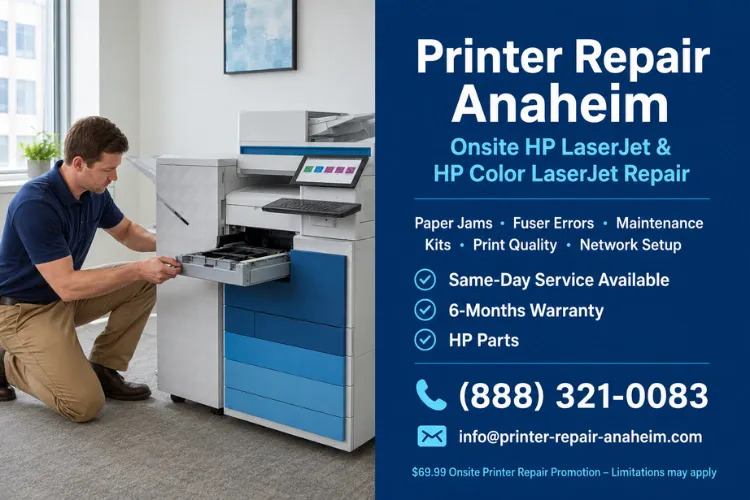
Printer down right now?
Printer Repair Anaheim has spent more than sixteen years working on HP LaserJet equipment in Orange County offices. Same-day onsite service is available for many HP LaserJet and HP Color LaserJet failures, and common fusers and maintenance kits are stocked for immediate installation. New customers of Printer Repair Anaheim qualify for a $69.99 flat labor rate on one qualifying HP LaserJet or HP Color LaserJet repair visit — promotion subject to limitations, new customers only, LaserJet models only. Call (888) 321-0083 or email info@printer-repair-anaheim.com. HP Parts are used for repairs, backed by a 180-day warranty on service and installed parts.
What Does Printer Repair Anaheim Handle on a Typical Service Call?
Nearly every call Printer Repair Anaheim takes falls into one of five categories: paper feed failures, fuser faults, image quality defects, connectivity and driver breakdowns, and overdue maintenance. Knowing which category you are in tells you most of what you need to know about cost and timeline.
Feed problems are the most common by a wide margin. Fuser faults are the most disruptive, because the printer usually refuses to run at all. Image defects are the most frequently misdiagnosed, since the visible symptom rarely sits on the part that caused it.
Connectivity failures are the strangest to the person reporting them. Nothing was touched, nothing looks broken, and the printer simply stopped accepting jobs. Almost always something upstream changed — a lease expiry, a driver push, a firmware update, a switch port.
Onsite Printer Repair Anaheim work is built around that reality. A Printer Repair Anaheim technician arrives with the printer’s likely failure modes already in mind, verifies the actual cause on site, and repairs it in place rather than crating the machine off to a depot. Removing a printer from an office is almost always the expensive path.
That is also why Printer Service Anaheim requests get triaged over the phone before anyone is dispatched. A control panel code, a sample print, and a page count usually tell us which parts should ride along in the van. Arriving with the right fuser or roller set is the difference between a one-visit repair and a three-day wait.
2. Which HP Printers Do We Service, and Which Ones Fall Outside That Scope?
Printer Repair Anaheim services HP LaserJet and HP Color LaserJet equipment exclusively, including single-function and multifunction configurations. That focus is deliberate. Depth on one manufacturer’s laser platform produces faster diagnosis than shallow familiarity with a dozen brands.
Our supported categories break down as follows:
- HP Printer Repair Anaheim coverage for HP LaserJet single-function models across the M6xx enterprise range and comparable families
- HP LaserJet Printer Repair Anaheim service including the M601, M602, M603, M604, M605, M606, M607, M608, M609, M610, M611, and M612
- HP Printer Service for firmware, driver, and network configuration issues that do not involve a hardware failure at all
- HP LaserJet Service covering scheduled maintenance, wear part replacement, and diagnostic inspection
- HP Color LaserJet Repair for color imaging faults, transfer belt symptoms, and registration problems
- HP LaserJet MFP Repair for multifunction units where scanning, feeding, and printing share one chassis
- HP Color LaserJet MFP Repair for color multifunction devices carrying both print and document capture duties
Certain HP lines fall outside what Printer Repair Anaheim supports. HP OfficeJet, DeskJet, Envy, Smart Tank, DesignJet, PageWide, and consumer inkjet models are excluded, and the current promotion does not apply to them. They are built on entirely different imaging systems with different parts economics.
If you are unsure which family your device belongs to, the model designation printed on the front bezel settles it immediately. An HP LaserJet M608 and an HP OfficeJet Pro may sit side by side in the same copy room, but only one of them is a machine Printer Repair Anaheim can help with.
3. Why Does a Reliable HP LaserJet Suddenly Start Jamming Every Day?
Jamming rarely appears overnight. It builds gradually as rubber pickup and separation rollers lose surface texture, then crosses a threshold where the printer can no longer reliably grab a single sheet. What feels sudden to the operator is usually the last week of a slow decline.
The clearest tell is where the sheet stops. A misfeed at the tray points at feed components. A sheet that crumples midway through the paper path points at registration or transport. A sheet that arrives at the output tray wrinkled or with loose toner points at the fusing assembly.
HP’s 13.xx code family narrows this further by identifying the sensor that flagged the jam. The code tells you where the sheet was when the printer noticed a problem — not necessarily where the problem started. Printer Repair Anaheim technicians read it as a starting coordinate, not an answer.
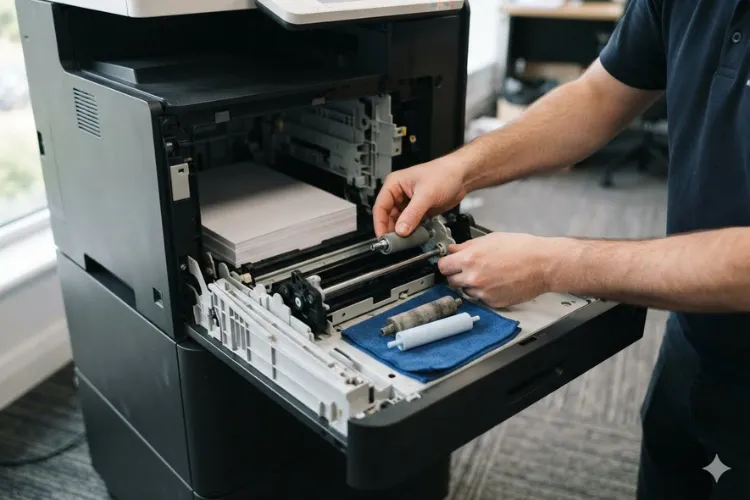
Printer Not Picking Up Paper is the specific complaint we hear most often, and it is usually the cheapest of all HP LaserJet repairs. Worn tray rollers cost very little compared to the productivity lost while a department feeds sheets one at a time. Pickup Roller Replacement on most enterprise LaserJet models takes minutes once the tray is out.
Separation Roller Replacement matters just as much and gets skipped more often. That component is what prevents multi-sheet feeds, so when it glazes over the printer starts pulling two or three pages at once. Replacing the pickup roller alone frequently leaves the multi-feed problem intact.
Paper itself deserves scrutiny before any part is condemned. Reams stored against an exterior wall in an Anaheim warehouse absorb humidity, curl at the edges, and jam a perfectly healthy printer. Printer Paper Jam Repair always begins with checking media condition, tray guides, and loading depth.
Persistent HP LaserJet Paper Jam behavior after fresh rollers and dry paper usually indicates something further along — a torn transport guide, a failed sensor flag, or debris lodged in the duplex assembly. That is the point where guessing gets expensive and a Printer Repair Anaheim inspection pays for itself.
Every hour a printer is down, somebody is working around it.
Invoices wait, contracts wait, shipping labels wait, and staff walk to another floor. Restoring reliability is usually faster and cheaper than most businesses expect, particularly when wear parts are already stocked locally. Printer Repair Anaheim provides onsite repair across Anaheim and surrounding cities, with many HP LaserJet and HP Color LaserJet fusers and maintenance kits available for same-day installation. Schedule service with Printer Repair Anaheim at (888) 321-0083 or info@printer-repair-anaheim.com. HP Parts. 180-day warranty on service and installed parts.
What Is the Printer Telling You When a 50-Series Fuser Code Appears?
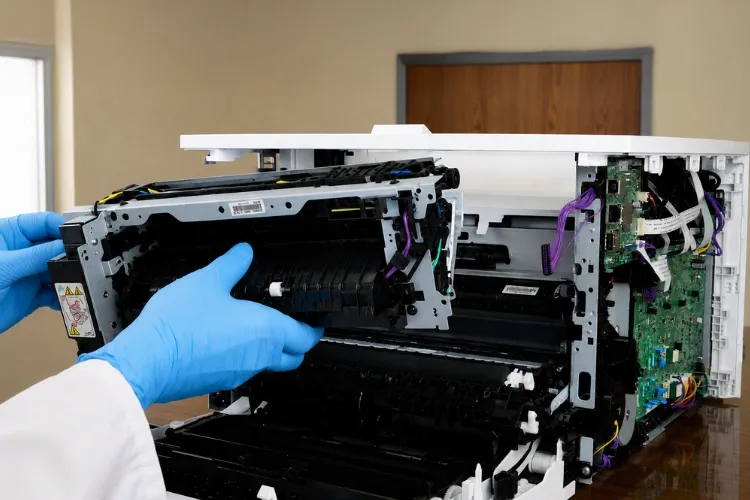
A 50-series code means the printer detected a fusing system temperature or drive condition outside its acceptable window and shut down to protect itself. It is a protective stop, not a random error. The fuser runs hot enough to bond toner to paper, so the firmware watches it closely.
The subcode carries the detail. Low temperature, warm-up failure, high temperature, drive circuit faults, and pressure release faults are all distinguished by the digits after the decimal. HP’s service documentation for each model lists the exact meaning, and Printer Repair Anaheim consults it before ordering parts.
A Printer Fuser Error occasionally clears on a power cycle and never returns, which usually points at a momentary power event rather than component failure. When the same code returns within days, the fusing assembly itself is the likely culprit. Intermittent codes that appear only on heavy jobs often indicate a thermistor drifting out of tolerance.
HP LaserJet Fuser Error conditions become far more likely once a printer passes its maintenance interval. Fuser film sleeves and pressure rollers are consumable by design. Running them well beyond rated life is the single most common reason we see a healthy printer stopped cold.
Fuser Replacement on most current enterprise LaserJet models is a rear-access procedure, which is why so many of these repairs finish in one visit. On the M607 through M612 series the fuser arrives as part of a maintenance kit that also carries transfer and paper feed components. Replacing the fuser alone leaves the rest of the wear parts at full mileage.
Reading Printer Error Codes correctly saves real money here. A 49.xx firmware error, a 59.xx motor error, and a 50.xx fuser error can all present to an office manager as “it just stopped,” yet they lead to entirely different repairs. Before replacing an expensive assembly, Printer Repair Anaheim verifies the actual failing component rather than working from the panel message alone.
5. How Do You Read a Bad Print Instead of Guessing at Parts?
At Printer Repair Anaheim, a defective page is treated as a diagnostic document. The position, spacing, and character of the defect narrow the cause before anyone opens a cover. Technicians who skip this step buy parts they did not need.
Start with whether the defect repeats. Marks that appear at a consistent vertical interval down the page come from a rotating component, and the interval corresponds to that roller’s circumference. Marks in fixed positions regardless of the page point at something stationary — a contaminated guide or a scratched surface.
Then look at what the defect is made of. Loose toner that smears under a fingernail did not fuse properly, which sends you toward the fusing system. Toner that is fully bonded but misplaced points upstream to the imaging or transfer stage.
Faded output across an entire page usually means toner supply, density settings, or a transfer roller losing charge. Fading confined to one side of the page suggests uneven pressure or a partially failed component. Vertical white streaks in a fixed lane commonly trace back to obstruction in the laser scanner path or a defect on the drum.
Printer Print Quality Problems in HP Color LaserJet units add registration to the list of suspects. When color planes drift out of alignment, text develops colored fringing that no toner change will fix. Calibration resolves some of it; worn transfer components account for the rest.
Printer Repair Anaheim technicians ask for three sample pages before a visit whenever possible: a configuration page, a print quality page, and a real document that shows the complaint. Those three sheets frequently identify the failing component before anyone is dispatched. That is not a shortcut — it is how a first-visit repair rate gets built.
6. When Is Maintenance Actually Due, and What Does the Kit Include?
Maintenance on an HP LaserJet is counted in pages, not months. The printer tracks its own page count and raises an advisory when the paper path components reach their rated service life. On the HP LaserJet Enterprise M607, M608, M609, M610, M611, and M612 series, the fuser maintenance kit carries an estimated yield of roughly 225,000 pages.
Kit contents follow a consistent pattern on those models. A fusing assembly, a transfer roller, and sets of pickup and separation rollers arrive together, along with the installation tool. Bundling them is deliberate, since those components wear on roughly the same schedule.
When counters cross the threshold, firmware prompts the operator to Perform Maintenance and eventually displays a Replace Maintenance Kit advisory. Printers keep running past that point, which is exactly why the message gets dismissed for months. The reliability cost accumulates quietly until jams and fuser codes arrive together.
Maintenance Kit Installation is straightforward on these platforms, but Printer Repair Anaheim finds the counter reset is the step most often missed. A kit installed without resetting the service counter leaves the printer reporting stale data, and the next person to look at the panel has no idea what the true mileage is.
Feed Roller Replacement deserves attention on high-volume trays specifically. A printer running most of its volume from a single cassette wears that tray’s components far faster than the others. Replacing every roller in the machine on the same schedule ignores how the equipment is actually used.
Planned Printer Maintenance is dramatically cheaper than reactive repair, and the math is not close. Printer Repair Anaheim schedules kit installations on your calendar, during a quiet hour, with parts already on hand. The unplanned version happens at month-end close with a queue of people waiting.
Fleet operators benefit most from tracking page counts across every device rather than waiting for panel messages. Pulling counts quarterly turns maintenance into a budget line instead of an emergency. Printer Repair Anaheim finds that organizations running ten or more HP LaserJet units in an Anaheim office usually have two or three approaching threshold.
Before you approve an expensive part, get a real diagnosis.
Fusers, formatters, and imaging assemblies are the most commonly replaced parts that did not need replacing. A control panel message describes a symptom, not a root cause. Printer Repair Anaheim performs a full diagnostic inspection first, then quotes only the components that testing actually implicates. Printer Repair Anaheim brings sixteen-plus years on HP LaserJet equipment, HP Parts, and a 180-day warranty on service and installed parts. Call (888) 321-0083 or email info@printer-repair-anaheim.com for onsite diagnosis.
Why Does a Printer Stop Printing When Nothing Obviously Changed?
When a working printer goes silent with no error code, the fault is usually in the path between the computer and the device rather than in the device itself. The hardware is fine. Something in addressing, drivers, or queue handling broke.
DHCP is the most frequent offender. A printer configured on a dynamic address picks up a new one after a power outage or lease expiry, while every workstation continues pointing at the old address. Nothing appears broken from either side, and jobs simply vanish into a stalled queue.
Driver and firmware mismatches produce similar silence. A Windows update pushes a generic driver over a model-specific one, or a firmware revision changes how the print server negotiates jobs. In both cases the printer is idle, ready, and completely unreachable.
Printer Not Printing complaints are worth isolating quickly, and Printer Repair Anaheim starts with one test: print a configuration page directly from the control panel. If that page prints, the engine and formatter are healthy and the issue lives on the network or workstation side. If it does not, the problem is inside the printer.
Sound Printer Troubleshooting follows that same halving logic at every step. Confirm the device responds to a ping, confirm the queue is not paused, confirm the correct port and driver, then confirm the job actually leaves the workstation. Each check eliminates an entire branch instead of shuffling settings at random.
Assigning static addresses or DHCP reservations to printers prevents most of these incidents permanently. It costs a few minutes per device and removes an entire failure category. Printer Repair Anaheim recommends it for every office that has been surprised by a printer that disappeared over a weekend.
8. How Should a Business Decide Between Repairing and Replacing an HP LaserJet?
The decision is not about the printer’s age. It is about the relationship between repair cost, remaining service life, and what replacement genuinely costs once installation and disruption are counted. Enterprise LaserJet hardware is built for hundreds of thousands of pages, and most units retired early still had years left.
Printer Repair Anaheim runs the comparison on four numbers. Quoted repair cost, current page count against rated engine life, consumable pricing for the model, and the true replacement cost including configuration and deployment time. A five-year-old M607 with 180,000 pages and a failed fuser is an easy repair decision.
The picture changes when failures stack. Multiple worn assemblies, a failing formatter, and an approaching maintenance interval on the same machine start to approach replacement economics. Business Printer Repair Anaheim quotes always separate what is failing now from what will need attention within the next year, so the comparison is honest.
Consumable pricing is the variable most often ignored. A discontinued model with expensive or scarce cartridges can cost more to feed annually than a current unit costs outright. That is a legitimate reason to replace a printer that is otherwise mechanically sound.
Standardization matters for organizations running fleets. Commercial Printer Repair Anaheim clients with a dozen mixed models carry a dozen parts inventories and a dozen driver profiles. Consolidating onto two or three platforms reduces both repair time and stocking cost, and that consolidation usually happens gradually through replacement decisions like this one.
Downtime tolerance is the final input, and it is specific to your operation. A printer that produces shipping labels in a distribution facility off Miraloma Avenue carries different urgency than one printing internal memos. Where a stoppage halts revenue, redundancy and faster response matter more than the repair cost itself.
9. What Should an Anaheim Business Expect From Printer Repair Anaheim Onsite?
An onsite visit should be predictable from the first phone call. Printer Repair Anaheim asks for the model number, the exact control panel message, the page count, and a description of what changed before the failure. That information determines which parts travel with the technician.
Same Day Printer Repair Anaheim availability depends on the failure and on parts. Because Printer Repair Anaheim stocks many HP LaserJet and HP Color LaserJet fusers and maintenance kits locally, a large share of fuser and feed repairs are completed the same day. Uncommon components on older models may require a short lead time, and we say so upfront rather than after arrival.
Onsite, the Printer Repair Anaheim technician verifies the reported symptom before touching anything. Diagnosis comes first, then the repair scope and cost are confirmed with the person authorizing the work. Nobody should learn about a part they did not approve after the invoice arrives.
Office Printer Repair Anaheim calls take our technicians through the Anaheim Canyon business corridor, the Platinum Triangle, the industrial blocks along La Palma and Kraemer, and out toward Fullerton, Orange, Placentia, and Buena Park. Medical offices, accounting firms, schools, engineering practices, and distribution operations all run HP LaserJet fleets under very different conditions. A printer in a dusty warehouse near the 91 wears differently than one in a climate-controlled suite.
Before leaving, the technician runs test pages, confirms the original complaint is resolved, and resets any service counters the repair affected. Work performed and parts installed are covered by a 180-day warranty. High-quality third-party toner is available separately and carries a one-year warranty.
New customers can use the current onsite service special of $69.99 flat labor for one qualifying HP LaserJet or HP Color LaserJet repair visit. The promotion is subject to limitations, applies only to qualifying LaserJet and Color LaserJet models, and excludes OfficeJet, DeskJet, Envy, Smart Tank, DesignJet, and non-LaserJet equipment.
Conclusion
Most HP LaserJet failures are readable if you know where to look. Jams point at rollers, 50-series codes point at the fusing system, repeating defects point at whatever rotates at that interval, and silent printers usually point at the network. The pattern holds across nearly every enterprise LaserJet model in service today.
What separates an expensive repair from a cheap one is almost always diagnosis, not the part. Printer Repair Anaheim exists to make that diagnosis accurate before money is committed to components. Sixteen-plus years on this equipment produces a lot of pattern recognition.
Whether you are managing one HP LaserJet M608 or a fleet spread across several Anaheim buildings, the goal is the same: fewer surprises, planned maintenance, and printers that simply work. When something does fail, reach Printer Repair Anaheim at (888) 321-0083 or info@printer-repair-anaheim.com for onsite diagnosis and repair.
What our People Say About Us.
They were fast with their response and knew right away what the problem was.
Lenore M
Managing Partner
I LOVE THESE GUYS!!!! THEY ARE THE BEST!!!!
Frances C
Office Manager
Printer Repair Anaheim is easy to work with. They will first try to resolve our problems over the phone. If not able to, they will send someone and they are usually here within 2-3 hours.
Michelle E.
General Manager
There is no better company out there to repair our printers!
Sidney W.,
EVP Information Technologies
Commercial Regions We Offer Onsite Printer Repair Service - Printer Repair Anaheim CA
Printer-Repair-Anaheim.com
South State College Blvd
Anaheim, California 92806
Printer Repair Fullerton
Orangethorpe Avenue
Fullerton, CA 92831
Printer Repair Irvine
Von Karman Avenue
Irvine, California 92614
Printer Repair Orange
West Katella Avenue
Orange, CA 92867
Printer Repair Anaheim Hills
North Tustin Avenue
Anaheim, CA 92807
Printer Repair Garden Grove
Chapman Avenue
Garden Grove, California 92841
Printer Repair La Habra
East Lambert Road
La Habra, Ca 92821
Printer Repair Santa Ana
East Dyer Road
Santa Ana, California 92705
Printer Repair Brea
West Lambert Avenue
Brea, California 92821
Printer Repair Huntington Beach
West McFadden Avenue
Huntington Beach, CA 92649
Printer Repair La Mirada
Artesia Boulevard
La Mirada, California 90638
Printer Repair Stanton
Katella Avenue
Stanton, CA 90680
FAQ's - Frequently Asked Questions -
Same-day onsite service is available for many HP LaserJet and HP Color LaserJet issues, though availability depends on the failure type, parts, and the time of day the call comes in. Requests received in the morning have a considerably better chance of same-day dispatch than late-afternoon calls. Because common fusers and maintenance kits are stocked locally, a large share of feed and fuser repairs finish in a single visit. When a component has to be ordered, we tell you the expected timeline before dispatching rather than after arrival. Having your model number, page count, and exact control panel message ready when you call meaningfully improves scheduling accuracy, since it determines what parts travel with the technician.
Often, yes. Enterprise HP LaserJet printers are engineered for very high lifetime page volumes, and a five-year-old machine in an average office may have used only a fraction of its rated engine life. The more useful measure is the page count on the configuration page, not the purchase date. A unit at 150,000 pages with a failed fuser is usually a straightforward repair. The calculation shifts when several assemblies are failing at once, when the formatter is unreliable, or when consumables for a discontinued model have become expensive or hard to source. We give you the current repair scope alongside what is likely to need attention in the coming year so the comparison against replacement is realistic.
It is a flat labor rate for one qualifying onsite repair visit for new customers, covering the technician’s time to diagnose and address a qualifying HP LaserJet or HP Color LaserJet issue. Parts are separate. The promotion is subject to limitations and applies only to qualifying LaserJet and Color LaserJet commercial models — OfficeJet, DeskJet, Envy, Smart Tank, DesignJet, and non-HP LaserJet equipment are excluded, as are existing customers. If your printer needs a component such as a fuser or maintenance kit, we confirm the part cost with you before installing anything. Ask about eligibility when you call so there are no surprises on the invoice.
HP Parts are used for repairs, and many HP LaserJet and HP Color LaserJet fusers and maintenance kits are kept in stock for same-day installation. Service work and installed parts carry a 180-day warranty. Toner is handled differently — high-quality third-party toner is available for customers who want a lower cost per page, and it carries a separate one-year warranty. That distinction matters, because toner and mechanical wear parts fail in different ways and warranty terms reflect that. If you have a preference either direction on toner, tell the technician during the visit.
Yes, and this is one of the most common calls we take. Network and driver failures account for a large share of “the printer is broken” reports where the hardware is entirely healthy. Typical causes include a changed IP address after a power event, a driver replaced by a system update, a paused print queue, or a firmware change affecting how jobs are accepted. The fastest self-check is printing a configuration page from the control panel: if it prints, the printer itself is fine and the problem is upstream. We handle network configuration, static addressing, driver installation, and firmware updates as standard service work.
Maintenance is measured in pages, not calendar time. On the HP LaserJet Enterprise M607 through M612 series, the fuser maintenance kit has an estimated yield of roughly 225,000 pages, and the printer raises an advisory as that threshold approaches. Intervals differ by model, so the specific figure for your device should be confirmed against HP’s documentation. Running well past the advisory is possible but tends to produce jams and fuser errors in the same period. The counter reset after installation is easy to overlook and leaves the printer reporting inaccurate service data if it is skipped. For fleets, pulling page counts quarterly turns maintenance into a scheduled budget item instead of an emergency.
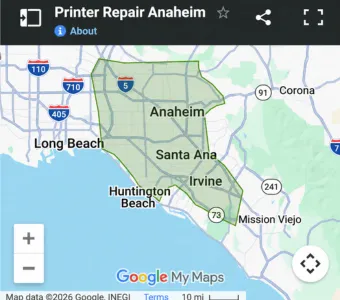
We provide onsite printer repair in Anaheim and the surrounding cities. Our technicians regularly work through the Anaheim Canyon business corridor, the Platinum Triangle, and the industrial and office blocks along La Palma Avenue and Kraemer Boulevard, as well as neighbouring communities including Fullerton, Orange, Placentia, and Buena Park. The environments vary widely — medical suites, accounting and legal offices, schools, engineering firms, and distribution facilities all run HP LaserJet equipment under very different conditions, and that context affects wear rates and service recommendations. If you are unsure whether your location falls inside our service area, call and ask before scheduling.
Toner that rubs off a printed page did not fuse properly, which points at the fusing system rather than the toner cartridge. The fuser bonds toner to paper using heat and pressure, so a worn film sleeve, a degraded pressure roller, or a temperature regulation fault will all leave loose toner behind. Heavy or unusually textured media can produce the same symptom on an otherwise healthy printer, so paper type is always worth checking first. If the smearing appears alongside intermittent 50-series codes, the fusing assembly is very likely at end of life. Continuing to run in that condition risks contaminating the paper path further.
Printer-Repair-Anaheim.com
South State College Blvd
Anaheim, California 92806
Client Care Telephone
(888) 321-0083
Client Care Email
info@printer-repair-anaheim.com
Review Websites
Hours of Operations
Monday 9:00AM – 5:00PM
Tuesday 9:00AM – 5:00PM
Wednesday 9:00AM – 5:00PM
Thursday 9:00AM – 5:00PM
Friday 9:00AM – 5:00PM
Saturday & Sunday Closed
Social Media
Service Area
What we provide Onsite Services
Fuser Error
Paper Jam
Poor Print Quality
Perform Maintenance
13 Error
49 Error
50 Error
79 Error
Maintenance Kit
Fuser Assembly
Paper Jam Roller Kit