
HP Laserjet M607 M608 M609 Printer Service
HP Laserjet M607 M608 M609 Printer Service is most useful when the service call begins with the exact printer configuration and the symptom that is interrupting work. We service HP LaserJet Enterprise M607, M608, and M609 single-function monochrome printers onsite in Anaheim and approved nearby locations, with diagnosis centered on the affected tray, paper path, fusing area, print defect, or maintenance condition.
For HP Laserjet M607 M608 M609 Printer Service, we do not assume that a paper jam automatically means a fuser has failed or that a print defect automatically requires a major assembly. The objective is to isolate the failure, identify the component or condition that actually explains the symptom, complete the appropriate repair, and then reproduce the original workload to verify the result.
Organizations needing broader local coverage can review Printer Repair Anaheim. This page stays focused on the M607, M608, and M609 family so office managers and IT staff can understand what information matters before service and what we check before recommending parts.
Preview Snapshot
- Confirm the exact M607, M608, or M609 configuration, full control-panel message, affected tray, and page count when available.
- Separate pickup and separation problems from jams that occur farther into the paper path.
- Evaluate toner adhesion, wrinkles, smearing, streaks, and repeating marks before identifying a fuser or other assembly as failed.
- Base maintenance decisions on messages, usage, wear, and component condition rather than an assumed interval.
- Use HP Laserjet M607 M608 M609 Printer Service to retest the original complaint, affected trays, applicable duplex operation, and print quality after repair.
HP Laserjet M607 M608 M609 Printer Service Starts With Exact Model Identification
A productive service call begins before any cover is removed. With HP Laserjet M607 M608 M609 Printer Service, we identify the full model and configuration, record the customer’s description of the failure, note the complete control-panel message, determine which tray is involved, and ask whether the problem changes between single-sided and duplex printing when duplex is available on that configuration.
The configuration matters because the M607, M608, and M609 family includes variations in control panels, paper handling, and installed options. We avoid transferring a procedure, part assumption, or maintenance instruction from a neighboring M6xx model. The official HP LaserJet Enterprise M607, M608, M609 user guide is one of the references we use to keep family-specific information anchored to HP documentation.
We also ask for the page count when it is available, but page count is context rather than a diagnosis. HP Laserjet M607 M608 M609 Printer Service still depends on what the printer is doing now: where paper stops, which media triggers the problem, whether an internal printer-generated page behaves differently from a computer-submitted job, and whether the symptom can be repeated consistently.
What to have ready for service intake
- Exact printer model and configuration suffix.
- Complete control-panel message or error text.
- Affected tray, paper size, and paper type.
- Page count when available.
- Whether the problem occurs during single-sided printing, duplex printing, or both.
- A sample of the print defect when print quality is the complaint.
Trace Paper Movement Before Replacing Feed Parts
Paper that does not leave a tray, feeds more than one sheet, enters crooked, or fails only from one source points the investigation toward media handling before deeper paper-path components. In HP Laserjet M607 M608 M609 Printer Service, we first separate a loading or media condition from worn pickup and separation components so the repair recommendation follows the actual failure.
HP M607 M608 M609 paper feed problems can involve damp or curled media, incorrect loading, paper guides that are not positioned correctly, worn pickup surfaces, worn separation components, or another tray-specific condition. The symptom matters: no pickup, multiple feeds, and skewed entry are different observations and should not be collapsed into one generic “paper jam” diagnosis.
HP documentation for this platform identifies pickup and separation rollers as serviceable paper-feed components. When testing shows those components are responsible, HP LaserJet pickup and separation roller replacement is a component-level remedy rather than a reason to replace unrelated assemblies. HP Laserjet M607 M608 M609 Printer Service should move from symptom to isolation to the smallest supported repair that corrects the fault.
Customer-level checks for HP Laserjet M607 M608 M609 Printer Service should remain simple: verify the paper condition, confirm the stack is loaded correctly, adjust accessible guides, and remove paper that HP documents as safely accessible. Internal roller replacement, electrical work, and disassembly belong in professional service. That boundary keeps useful preliminary checks from becoming an improvised repair procedure.
HP Laserjet M607-M609 Onsite Service Promotion
$69.99 Onsite Printer Repair Promotion for one supported printer per onsite visit.
Call (888) 321-0083 or email info@printer-repair-anaheim.com to request service. Limitations may apply.
Use Jam Location and Repeatability to Narrow the Paper Path
A recurring jam becomes more useful diagnostically when we know where the leading edge stops and what conditions reproduce it. HP Laserjet M607 M608 M609 Printer Service compares the affected tray, paper size, media type, print mode, and jam location rather than treating every 13.xx message as the same fault.
For HP M607 M608 M609 recurring paper jam troubleshooting, we look for a pattern. A jam that follows one tray suggests a different investigation from paper that consistently reaches the fusing area before stopping. A problem that appears only during duplex printing, when that feature is present and enabled, also changes the path that must be examined.
HP publishes family-specific jam documentation for the M607, M608, and M609 platform, including 13.A1 tray-feed related conditions. We do not assign a code meaning from memory or from an adjacent model. During HP Laserjet M607 M608 M609 Printer Service, the complete message and the physical paper position are checked together before a component is recommended.
The remedy can range from correcting media or loading to replacing a worn feed component or another documented paper-path part. We recommend onsite service when the jam returns after safe accessible paper removal, when paper stops inside a service area that requires disassembly, or when repeated jams make it difficult to tell whether more than one condition is present.
Confirm Fuser Evidence Before Replacing the Assembly
The fuser is responsible for applying heat and pressure so toner bonds to the page, but it should not become the default explanation for every jam or print defect. HP Laserjet M607 M608 M609 Printer Service looks for evidence that points toward the fusing area, such as poor toner adhesion, wrinkling, repeated stoppage near that area, or a documented fuser message.
HP M607 M608 M609 fuser error diagnosis starts with the exact message and the observed symptom. HP documents fuser service for this printer family and publishes model-applicable fuser error guidance, including 50.7F.00. That makes the fuser a valid service component when evidence supports it, not a universal explanation for toner smearing, paper wrinkles, or jams.
When the assembly is confirmed as the failed component, HP M607 M608 M609 fuser replacement means replacing the applicable fuser assembly. We do not rebuild the fuser onsite. Voltage and compatibility must be verified for the exact printer before parts are selected, and heated internal components are not an appropriate area for customer disassembly.
With HP Laserjet M607 M608 M609 Printer Service, a fuser replacement is followed by testing that recreates the complaint. That includes checking toner adhesion and page handling through the repaired area, then confirming the affected tray and duplex path when those conditions were part of the original failure.

M607-M609 Onsite Service Promotion
$69.99 Onsite Printer Repair Promotion for one supported printer per onsite visit.
Call (888) 321-0083 or email info@printer-repair-anaheim.com to request service. Limitations may apply.
Treat Maintenance as a Condition-Based Service Decision
Maintenance should not be reduced to a page-count slogan. HP provides maintenance-kit status guidance that applies to the M607, M608, and M609 series, but an onsite decision still needs to consider the printer’s message, usage, observable wear, current symptoms, and the condition of the components involved. HP Laserjet M607 M608 M609 Printer Service uses those factors together.
HP M607 M608 M609 maintenance is most useful when it prevents an active wear condition from being mistaken for an unrelated failure. If feed performance is deteriorating, a maintenance message is present, or multiple wear items are approaching a service point, we assess what the exact configuration actually needs instead of assuming every machine receives the same kit or procedure.
The same rule applies to HP M607 M608 M609 maintenance kit installation. Before installation, the kit must be matched to the exact printer, voltage and contents must be verified, and any maintenance-counter action must follow the official procedure for the work actually completed. We do not publish a universal yield or reset sequence when configuration-specific verification is required.
For visitors researching an HP M607 M608 M609 maintenance kit replacement guide, the practical takeaway is that maintenance is a service decision, not merely a reset. HP Laserjet M607 M608 M609 Printer Service should confirm the condition that justified the maintenance work and verify feed performance, paper handling, and print quality afterward.
Separate Toner, Media, Transfer, and Fusing Print Defects
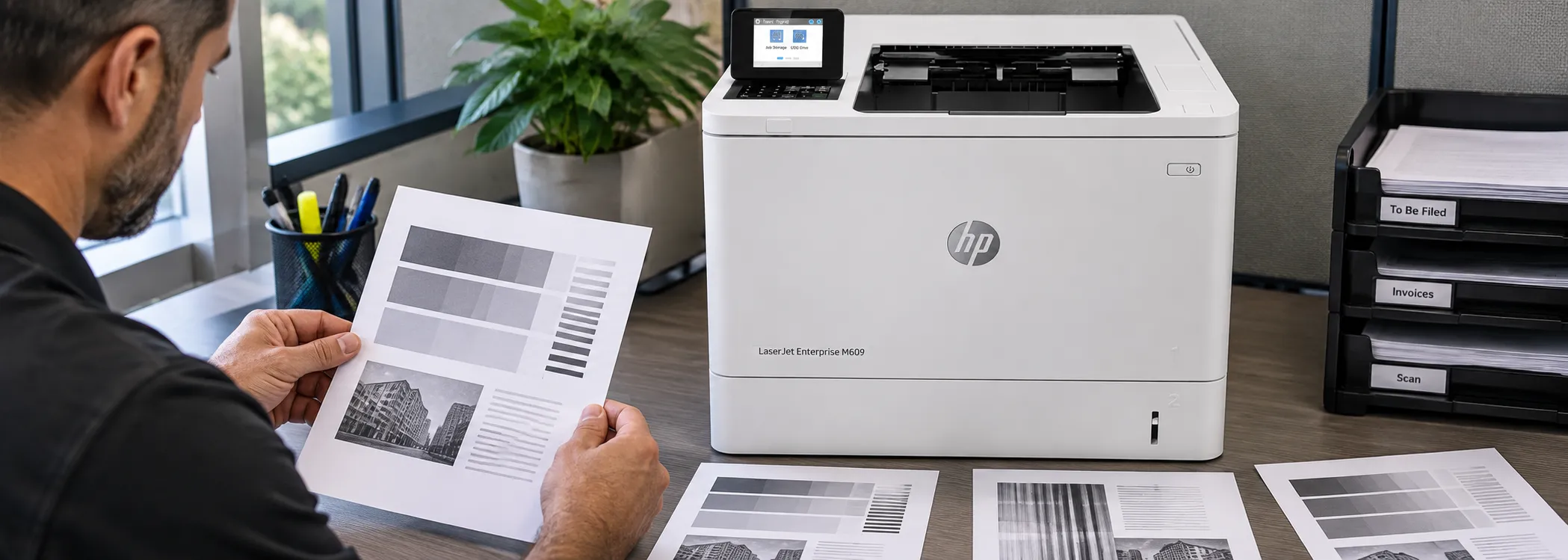
Faded output, streaks, background toner, smearing, and repeating marks can come from different parts of the imaging and paper-handling process. HP Laserjet M607 M608 M609 Printer Service therefore begins print-quality work by preserving a sample and determining whether the defect appears on printer-generated pages, computer-submitted jobs, or both.
HP LaserJet print quality troubleshooting compares the toner cartridge, media condition, job settings, transfer-related components, and fusing behavior instead of jumping directly to the most expensive assembly. HP also notes that toner-cartridge life varies and that a low-toner indication does not by itself prove the cartridge must be replaced immediately. Print quality remains part of the decision.
For HP M607 M608 M609 toner smearing and repeating defects, pattern and physical behavior matter. Toner that rubs away from the sheet raises a different question from a repeated mark that tracks around the page. HP Laserjet M607 M608 M609 Printer Service uses those differences to decide which component or consumable should be isolated next.
One successful internal page does not prove that every printer component is healthy, and one poor computer-submitted job does not prove a hardware failure. Comparing controlled printer output with the problem job helps narrow the investigation. We recommend service when the defect remains repeatable after safe media and cartridge checks or when testing points to an internal transfer or fusing component.
Match the Repair to M607, M608, or M609 Configuration
For HP Laserjet M607 M608 M609 Printer Service, the three models belong to the same Enterprise monochrome family, but service still begins with the exact printer in front of us. HP Laserjet M607 M608 M609 Printer Service does not assume that every configuration has identical paper-handling accessories, duplex capability, control-panel hardware, or compatible replacement parts.
M607 service decisions
HP LaserJet Enterprise M607 repair follows the observed fault and the installed configuration. A tray-feed complaint is tested as a paper-feed problem; a fuser message is treated as a fuser diagnosis; and a print defect is isolated through print-quality testing. The model name narrows documentation, but it does not replace diagnosis.
M608 service decisions
HP LaserJet Enterprise M608 repair uses the same evidence-first approach while respecting the exact M608 configuration. During HP Laserjet M607 M608 M609 Printer Service, we verify the installed options that affect the reported symptom and avoid applying a part or procedure simply because it fits another printer in the broader family.
M609 service decisions
HP LaserJet Enterprise M609 repair likewise starts with the full configuration and complaint. When documentation supports replacement, we install the identified failed or worn component rather than widening the job without evidence. Depending on the repair, appropriate terminology may include HP Parts, High Quality Parts, or Premium Parts, while compatibility is still verified before installation.
Companies operating other monochrome LaserJet models can use our broader HP LaserJet printer repair page for that equipment. Businesses that also operate color models can use the separate HP Color LaserJet printer repair resource; color-printer troubleshooting is intentionally outside this M607-M609 page.
M607-M609 Onsite Service Promotion
$69.99 Onsite Printer Repair Promotion for one supported printer per onsite visit. Call (888) 321-0083 or email info@printer-repair-anaheim.com to request service. Limitations may apply.
Decide Whether Repair Still Fits the Printer’s Operational Role
A repair decision should be based on the confirmed scope of work, not a guessed remaining lifespan. HP Laserjet M607 M608 M609 Printer Service considers the identified failure, overall condition, usage, history of recurring problems, available configuration, and the operational importance of the printer before a repair-versus-replacement discussion is useful.
HP M607 M608 M609 repair versus replacement is especially relevant when the current failure is only one part of a pattern. A single worn roller or confirmed fuser failure is a different situation from repeated faults across several systems. We do not invent future reliability, repair prices beyond the approved promotion, or a guaranteed number of remaining pages.
Downtime also has context. With HP Laserjet M607 M608 M609 Printer Service, a printer that supports a busy shipping area, accounting department, or shared production workflow may justify a different operational decision from a lightly used backup unit. HP Laserjet M607 M608 M609 Printer Service gives the organization a defined repair scope so the decision can be made from actual condition rather than speculation.
For Anaheim businesses and approved nearby locations including Fullerton, Orange, Garden Grove, Santa Ana, Brea, and Irvine, onsite HP LaserJet printer service in Anaheim can keep that assessment tied to the installed printer and its real paper sources and accessories. Same-day service may be available when scheduling and the repair situation allow, but availability is not guaranteed.
Verify the Original Complaint Before Returning the Printer to Service
A repair is not complete simply because a new component is installed. The final stage of HP Laserjet M607 M608 M609 Printer Service is to reproduce the original complaint as closely as practical, then confirm that the repaired printer handles the affected tray, media, print mode, and output condition without the symptom returning during verification.
If the complaint involved pickup or separation, we test the source that failed. If it involved a jam, we verify the path and conditions that produced it. If it involved fusing or print quality, we inspect the finished pages for adhesion, wrinkles, smearing, streaking, background toner, or repeating marks. Duplex operation is included when it was part of the original problem and the configuration supports it.
Maintenance counters are addressed only when the completed maintenance work and official procedure warrant the action. HP Laserjet M607 M608 M609 Printer Service should leave a clear connection between the symptom reported, the diagnosis reached, the component serviced, and the test used to confirm the result.
We provide onsite service for supported HP LaserJet Enterprise M607, M608, and M609 printers in Anaheim and the approved surrounding service area. For a recurring jam, fuser concern, maintenance condition, or print-quality problem that has moved beyond safe user-level checks, call (888) 321-0083 or email info@printer-repair-anaheim.com to request professional diagnosis.
HP LaserJet M607 M608 M609 Service FAQs
Have the exact printer model and configuration, complete control-panel message, affected tray, page count when available, and a description of when the problem occurs. A print sample is also useful when the complaint involves streaking, fading, smearing, or repeating marks.
Yes. A jam that consistently follows one tray can point the diagnosis toward that tray’s media, loading, guides, pickup components, or separation components. The paper’s stopping point and the conditions that reproduce the jam help determine whether the problem is tray-specific or farther into the paper path.
No. Smearing can require checks of the toner cartridge, paper, job settings, transfer-related components, and fusing behavior. Poor toner adhesion can support a fuser diagnosis, but the symptom should be isolated before the fuser assembly is replaced.
No. Printer Repair Anaheim does not rebuild fusers onsite. When diagnosis confirms the fuser as the failed component, we replace the applicable fuser assembly after compatibility and voltage are verified for the exact printer.
A maintenance assessment is appropriate when the printer reports a maintenance condition, feed performance is deteriorating, wear is evident, or usage suggests multiple service items should be evaluated. The exact kit, contents, compatibility, and any counter procedure must be verified for the printer and work performed.
Yes. A toner cartridge can contribute to fading, streaks, background toner, or repeating defects, so it is part of the diagnostic process. We compare the defect pattern with paper, settings, transfer, and fusing considerations before assigning the fault to an internal printer assembly.
The original complaint should be reproduced as closely as practical. We retest the affected tray, relevant media, applicable duplex operation, paper path, and print quality so the completed repair is checked against the condition that brought the printer in for service.
Printer Repair Anaheim provides a 6-month / 180-day warranty on completed service and installed parts. The warranty applies to the service and parts we install; customer-supplied parts are not covered or installed under this service policy.